
Hardware Specifications
| Vendor/Brand | LEOX |
| Model | LXT-240G-C1 |
| Chipset | Realtek RTL9607C |
| Flash | SPI NAND 256MB |
| RAM | 196MB visible in top (256MB total?) |
| CPU | Formosa MIPS interAptiv (multi) V2.0 |
| CPU Clock | 300MHz (597.60 BogoMIPS) |
| System | Linux 4.4.140 (GCC Realtek MSDK-4.8.5p1 Build 3068) |
| Ethernet ports | 4x1G |
| POTS ports | 2xRJ11 |
| Optics | SC/APC |
| IP address | 192.168.1.1/24 |
| Web Gui | ✅ user admin, password letmein OR user user, password user |
| Telnet | ✅ user leox, password leolabs_7 |
| SSH | NO |
| Form Factor | ONT |
External Photos
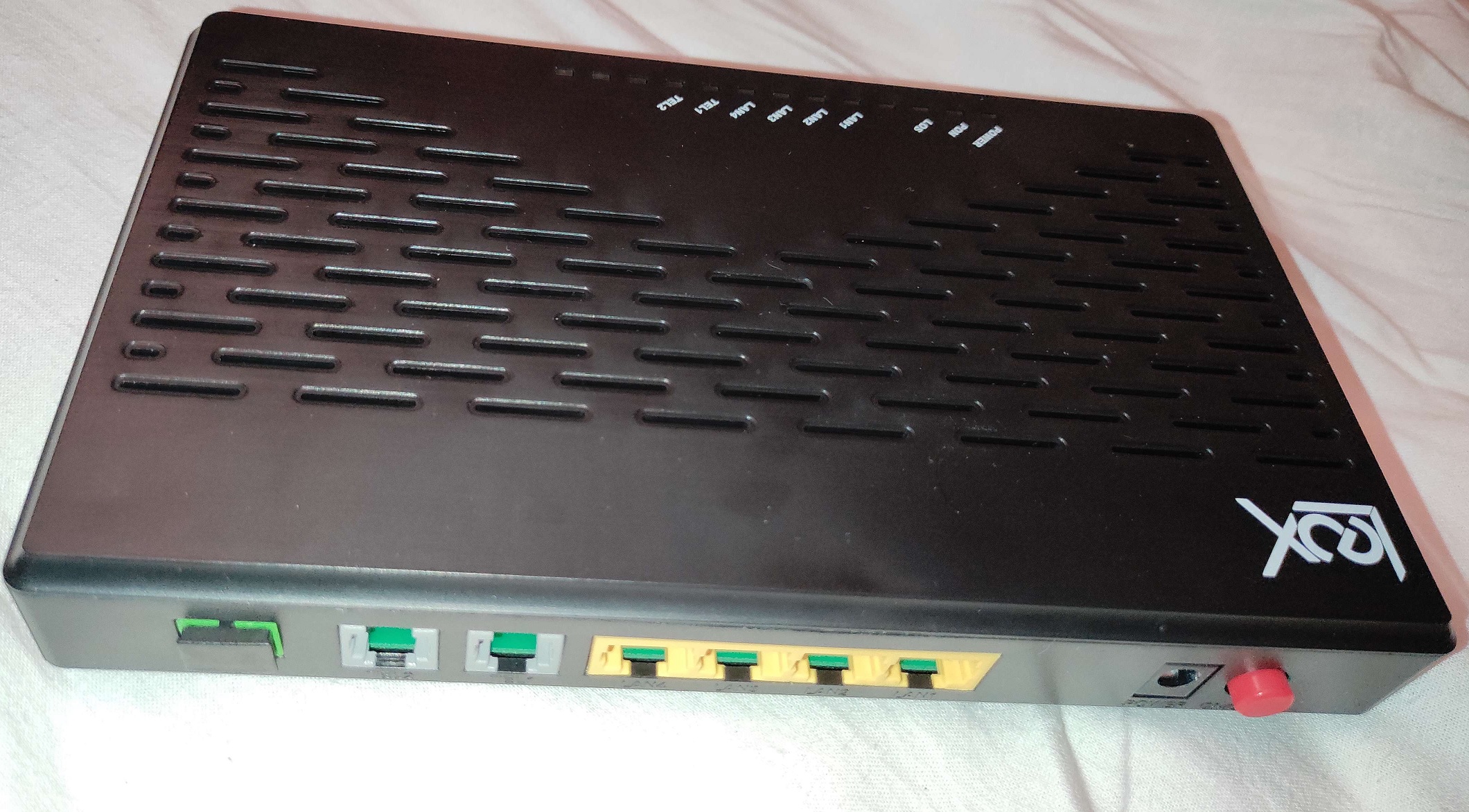
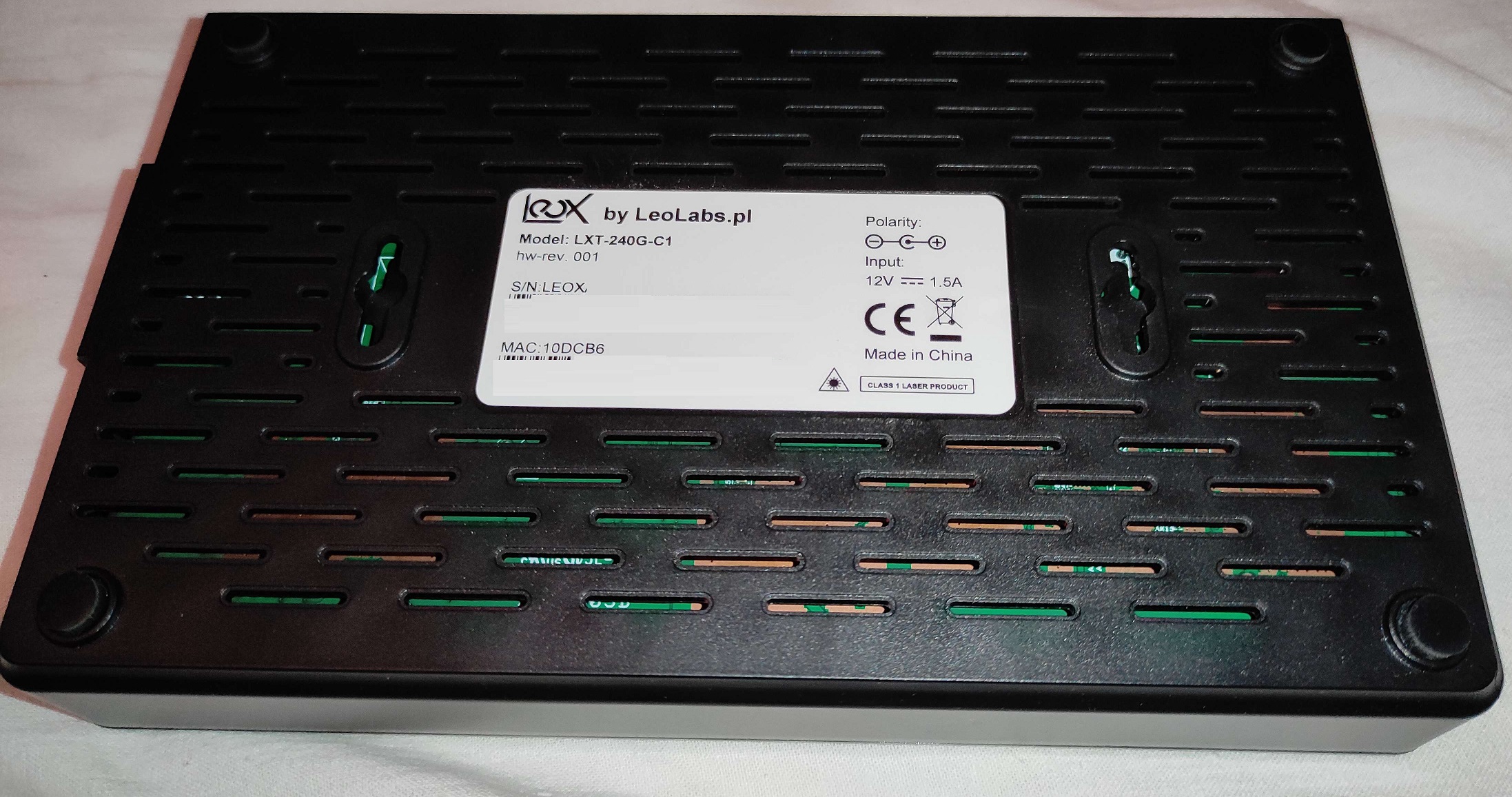
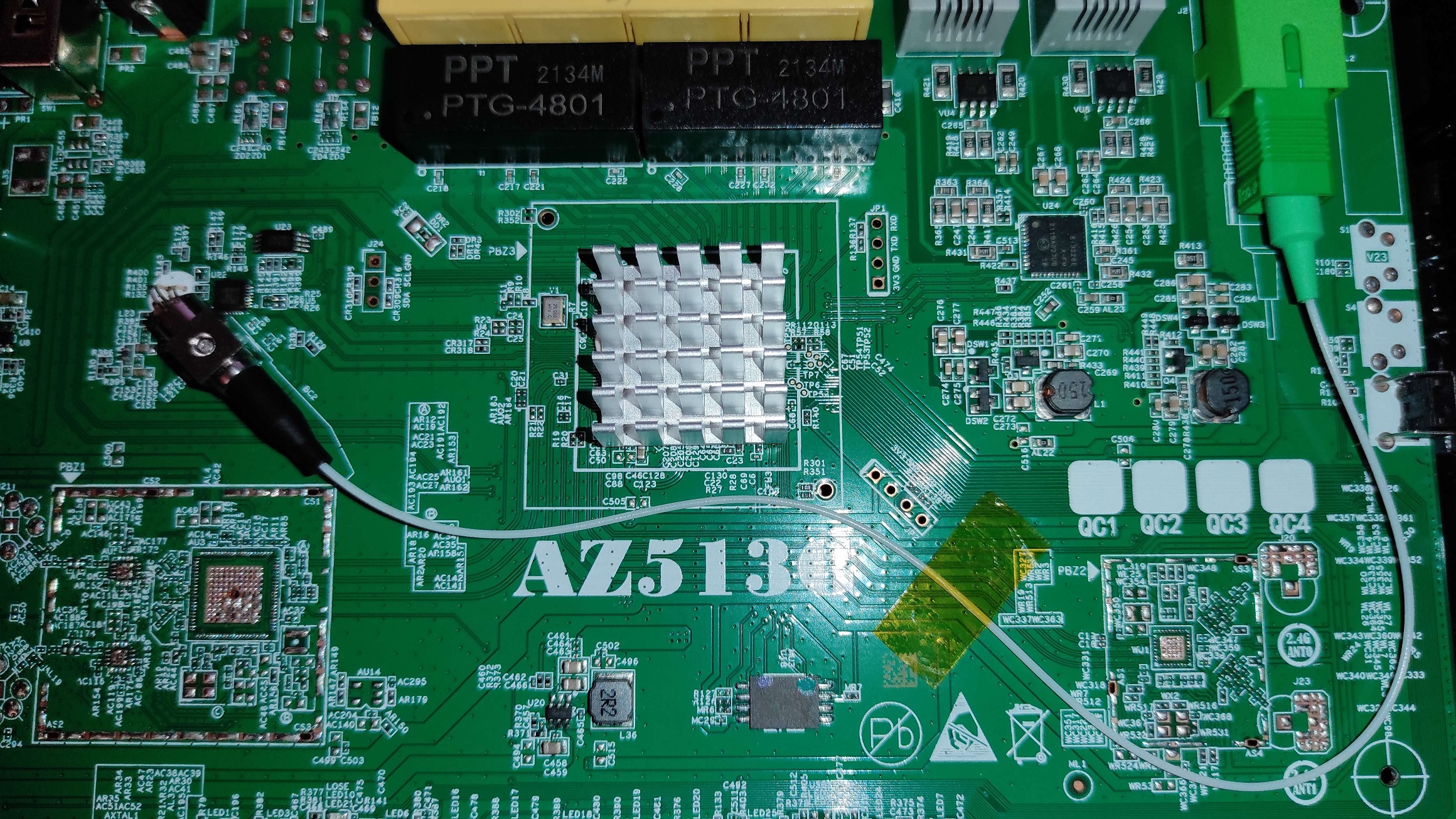
List of partitions (MTD)
| dev | size | erasesize | name |
|---|---|---|---|
| mtd0 | 000c0000 | 00020000 | "boot" |
| mtd1 | 00020000 | 00020000 | "env" |
| mtd2 | 00020000 | 00020000 | "env2" |
| mtd3 | 00040000 | 00020000 | "static_conf" |
| mtd4 | 0f9c0000 | 00020000 | "ubi_device" |
| mtd5 | 00a89000 | 0001f000 | "ubi_Config" |
| mtd6 | 00a0d000 | 0001f000 | "ubi_k0" |
| mtd7 | 01911000 | 0001f000 | "ubi_r0" |
| mtd8 | 00a0d000 | 0001f000 | "ubi_k1" |
| mtd9 | 01911000 | 0001f000 | "ubi_r1" |
| mtd10 | 0081d000 | 0001f000 | "ubi_framework1" |
| mtd11 | 0081d000 | 0001f000 | "ubi_framework2" |
| mtd12 | 02416000 | 0001f000 | "ubi_apps" |
Only the first 4 partitions with erasesize 0x20000 should be manipulated using mtd devices, the fifth partition ubi_device contains the rest of the NAND and is to be manipulated using ubi volumes
List of volumes (UBI)
| dev | size | type | name |
|---|---|---|---|
| ubi0_0 | 11046912B | dynamic | "ubi_Config" |
| ubi0_1 | 10539008B | dynamic | "ubi_k0" |
| ubi0_2 | 26284032B | dynamic | "ubi_r0" |
| ubi0_3 | 10539008B | dynamic | "ubi_k1" |
| ubi0_4 | 26284032B | dynamic | "ubi_r1" |
| ubi0_5 | 8507392B | dynamic | "ubi_framework1" |
| ubi0_6 | 8507392B | dynamic | "ubi_framework2" |
| ubi0_7 | 37838848B | dynamic | "ubi_apps" |
To back up a volume, cat or dd the appropriate /dev/ubi0_X device to a file or pipe, to restore a volume, use the ubiupdatevol utility (or just do it safely via the WebGUI)
This ONT supports dual boot.
Volumes ubi_k0 and ubi_r0 respectively contain kernel and rootfs of the first image, while ubi_k1 and ubi_r1 contain kernel and rootfs of the second one.
List of software versions
- V4.1.1L5rc2 md5hash: 53b80abbda413e3ebc87d1730292d2fd
- V4.1.1L5 md5hash: 5426cac6eb204ec1b3a8f39bc22d9488, same as rc2 just marked final
GPON/OMCI settings
Set OMCI mode to customized so versions don't reset
mib set OMCI_OLT_MODE 3Setting OMCI software version (ME 7)
mib set OMCI_SW_VER1 YOURSWVER
mib set OMCI_SW_VER2 YOURSWVER
Setting OMCI vendor ID (ME 256)
flash set PON_VENDOR_ID VENDSetting ONU GPON Serial Number
flash set GPON_SN VEND1234ABCDSetting OMCI hardware version (ME 256)
flash set HW_HWVER YOURHWVERSetting OMCC version (ME 257)
mib set OMCC_VER 0x86Setting OMCI equipment ID (ME 257)
flash set GPON_ONU_MODEL YOUREQUIPMENTIDSetting Product Code (ME 257)
mib set OMCI_VENDOR_PRODUCT_CODE 0x3032Setting VEIP slot ID (example for 0xe01)
mib set OMCI_VEIP_SLOT_ID 0xeVerification commands for settings changed above (all settings take a reboot to apply)
Verify SwVer (ME 7)
omcicli mib get 7Verify Vendor ID, HwVer, and G984 Serial (ME 256)
omcicli mib get 256Verify OMCC version, Equipment ID and Product Code (ME 257)
omcicli mib get 257Verify VEIP customized slot ID (ME 329)
omcicli mib get 329Advanced settings
Setting management IP
mib set LAN_IP_ADDR 192.168.102.1